Moonlight Peaks on Steam Deck: Performance & Controller Guide
How Moonlight Peaks runs on Steam Deck — its Deck Verified status, real-world performance from players, the official gamepad layout, and why a controller-first design makes it a natural handheld farm sim.
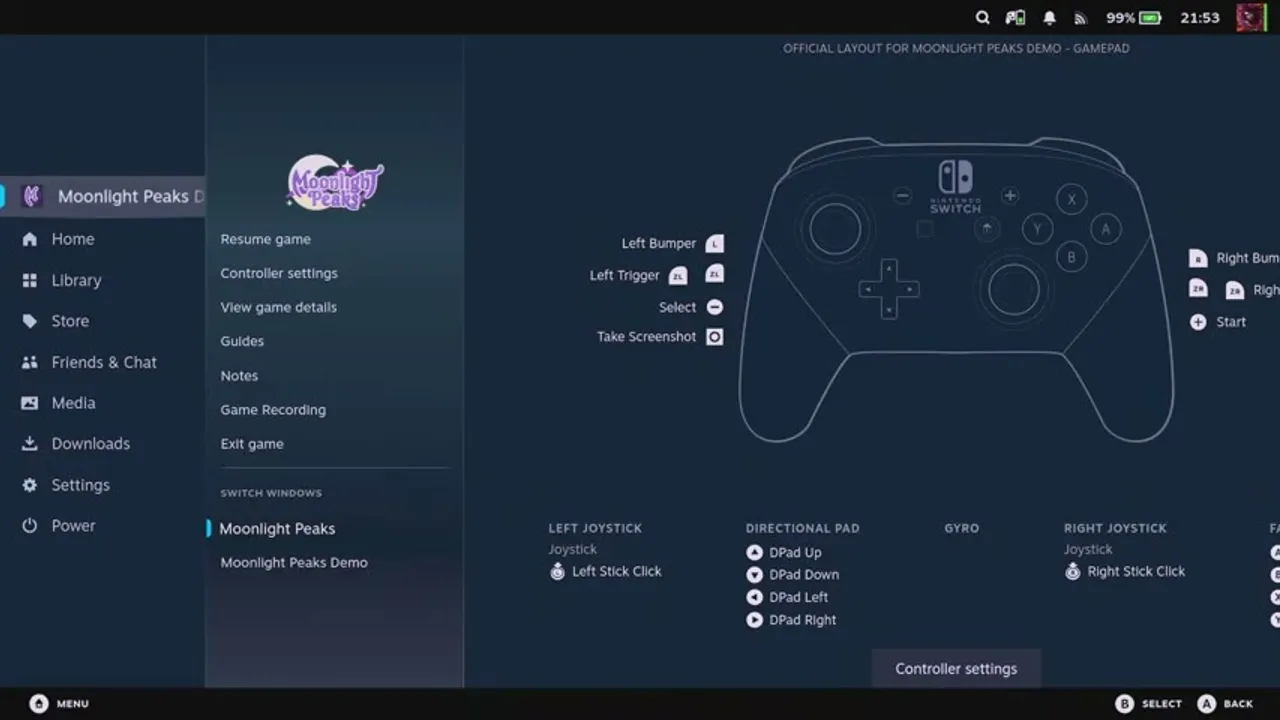
A cozy, nocturnal farm sim you can curl up with in handheld mode is basically the platonic ideal of Steam Deck gaming — and Moonlight Peaks looks built for it. This guide covers what we know about how it runs on Deck, its compatibility status, and why its controller-first design makes the handheld experience so natural.
Steam Deck compatibility status
Moonlight Peaks is now listed as Steam Deck Verified in PC Gamer’s July 15, 2026 review. Verification is useful purchase guidance, but the current store badge is still the place to check immediately before you buy: Valve can revise a compatibility review as a game changes.
The publisher has also shipped meaningful post-launch fixes. Its July 15 patch corrected a Steam controller fallback problem, while the July 21 patch targeted performance around bee houses, the firefly sanctuary, large groups of interactables, Farm Helpers, and item pickups. These are patch-note facts, not a promise of a particular frame rate, but they are a good reason to update before troubleshooting an old report.
For a clean first session, install the current Steam update, launch with the default layout, and try a normal save/load cycle before changing compatibility tools or community controller profiles. If something is still wrong, note the installed game version and the exact action that triggers it. That makes a support report far more useful than a vague “Deck freezes” description.
Why it suits handheld play
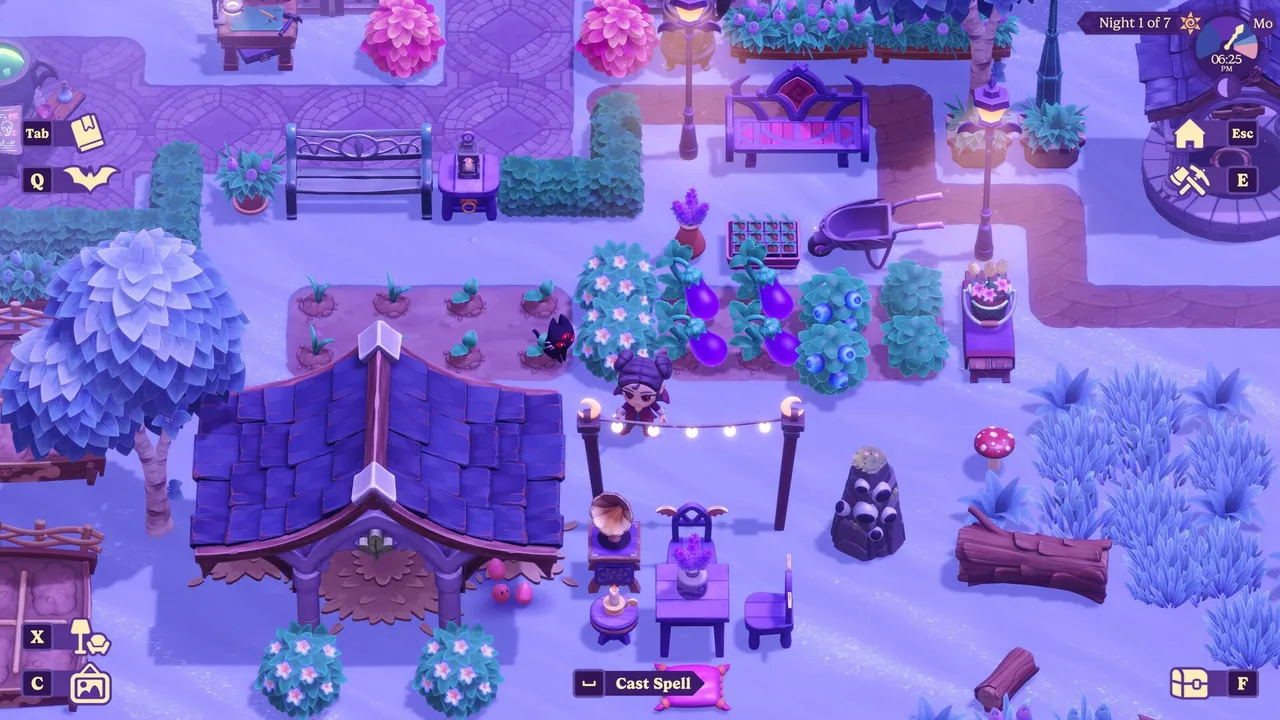
Moonlight Peaks is a 2D, top-down sim — it’s not pushing the kind of 3D rendering that strains a handheld GPU. That alone puts it comfortably within the Deck’s wheelhouse, alongside the genre stablemates (Stardew, Coral Island and friends) that have made farm sims a handheld staple. A slow-burn game about tending a farm across long nights is also exactly the sort of thing you play in bed or on the couch — the Deck’s natural habitat.

If you’re weighing the Deck against other ways to play, see the PC system requirements and release date & platforms guides for the full picture.
Controller-first by design
The single biggest reason Moonlight Peaks feels good on Deck is that it was designed around a controller from the start, not patched for one afterwards. There’s an official gamepad layout (shown at the top of this page), and the core interactions are built for a pad:
- The radial tool wheel is made for a thumbstick — flick to the tool you want rather than cycling a hotbar.
- Menus map cleanly to buttons — shoulder buttons page between screens, face buttons confirm and cancel.
- The official layout means the Deck’s controls are pre-configured sensibly out of the box.
One honest caveat that carries over from the desktop experience: the spell-casting “draw a rune” minigame can feel finicky on a stick. Some players found drawing spell shapes easier with a mouse than a controller (covered in the mana & spellcasting guide). On Deck you’re committed to the stick or the trackpad, so spellcasting is the one area where handheld players may need a little patience — the trackpad is worth trying if stick-drawing fights you.
A sensible handheld checklist
Before changing a setting, make the simple checks that separate a current problem from an old launch report. Install the available game update, use the official/default Steam Input layout, and test the buttons in an ordinary menu as well as in the world. The publisher’s controller-fallback fix means a custom layout should be a deliberate preference, not the first emergency fix to try.
Then play through the moments most likely to reveal an issue: open the tool wheel, move through a populated area, interact with a crafting station, and save normally before leaving the game. If each works, keep the default configuration. If one fails, write down the game version, whether it happens on the built-in controls or a docked controller, and the exact sequence. That creates a reproducible report and avoids cargo-culting an outdated workaround.
The verdict
With a Verified status, controller-native interface, and several launch-period control and performance fixes, Moonlight Peaks is a credible Steam Deck choice. Start with the official layout and current patch rather than a pile of tweaks. The trackpad remains worth trying for a difficult rune shape, but it is a comfort adjustment rather than a required workaround.
We intentionally do not state a fixed FPS, battery-life target, or universal graphics preset here. Those depend on the Deck model, system software, and the part of town you are in; a single report is not a durable benchmark. The reliable baseline is Verified status plus the publisher’s named fixes, followed by a short test in the activities you actually play.
For more on playing the game your way, see release date & platforms, PC system requirements, and the Nintendo Switch guide.
Frequently asked questions
Is Moonlight Peaks Steam Deck Verified?
Yes. PC Gamer's July 15, 2026 review lists Moonlight Peaks as Steam Deck Verified. The Steam store badge is the best place to check the current status before buying, because Valve can revise compatibility reviews.
Does Moonlight Peaks have controller support?
Yes, fully — it's built controller-first. There's an official gamepad layout, a radial tool wheel designed for a stick, and menus that map cleanly to buttons. That design is exactly why it feels at home on Steam Deck and other handhelds.
How well does Moonlight Peaks run on Steam Deck?
It is a Steam Deck Verified, 2D top-down game with native controller support. The publisher's July patches also addressed a Steam controller fallback issue and several performance problems. We do not publish a fixed FPS or battery-life claim without a repeatable test, so use the default setup first and judge any remaining issue after updating.
Sources
Related guides
Keep exploring — hand-picked guides that pair well with this one.
Moonlight Peaks Controls & UI Guide: HUD, Tool Wheel & Keybinds
How Moonlight Peaks' interface works — reading the minimal HUD, the radial tool wheel, decorate mode, menus and storage, plus observed keybinds and why the game is built controller-first.
Read guide
Moonlight Peaks PC System Requirements & Performance
The official minimum and recommended PC and Mac system requirements for Moonlight Peaks, straight from Steam, plus Switch, Switch 2 and Android availability.
Read guide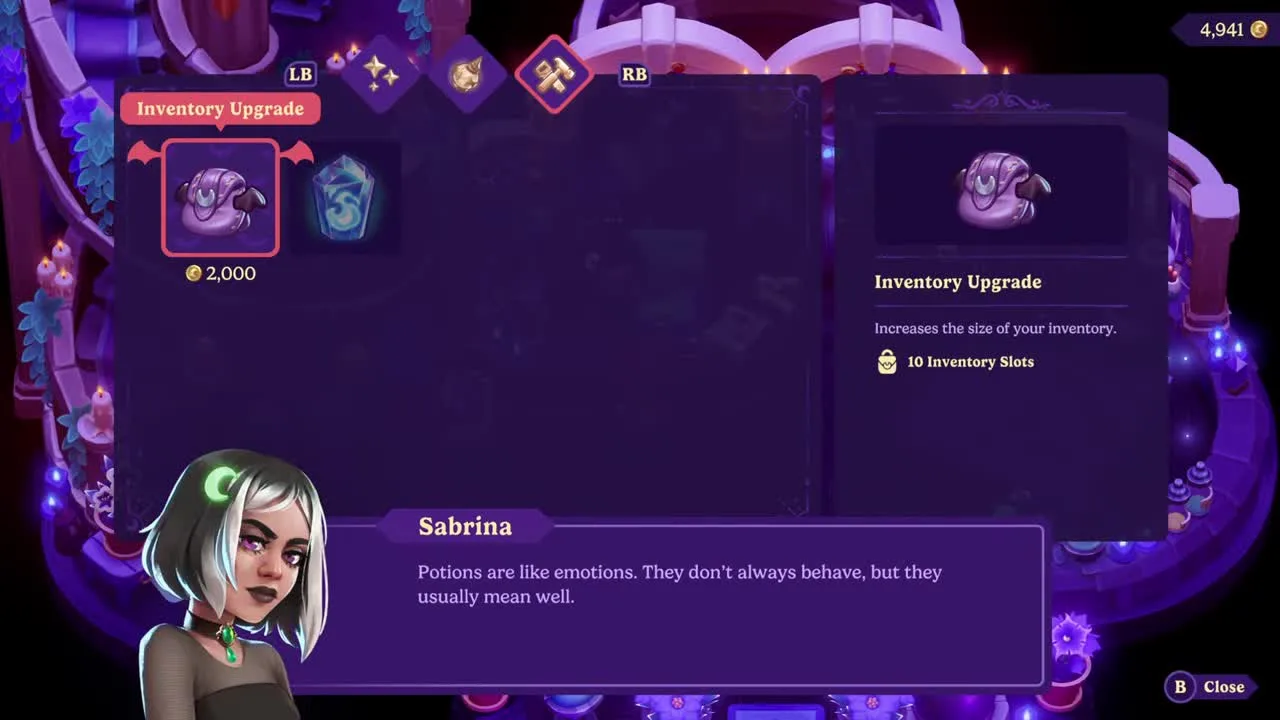
Moonlight Peaks Inventory Upgrade: Backpack & Storage Guide
How to expand your Moonlight Peaks backpack from 20 to 40 slots, where Sabrina sells both inventory upgrades, exact prices, and how unlimited house storage works.
Read guide