Moonlight Peaks Inventory Upgrade: Backpack & Storage Guide
How to expand your Moonlight Peaks backpack from 20 to 40 slots, where Sabrina sells both inventory upgrades, exact prices, and how unlimited house storage works.
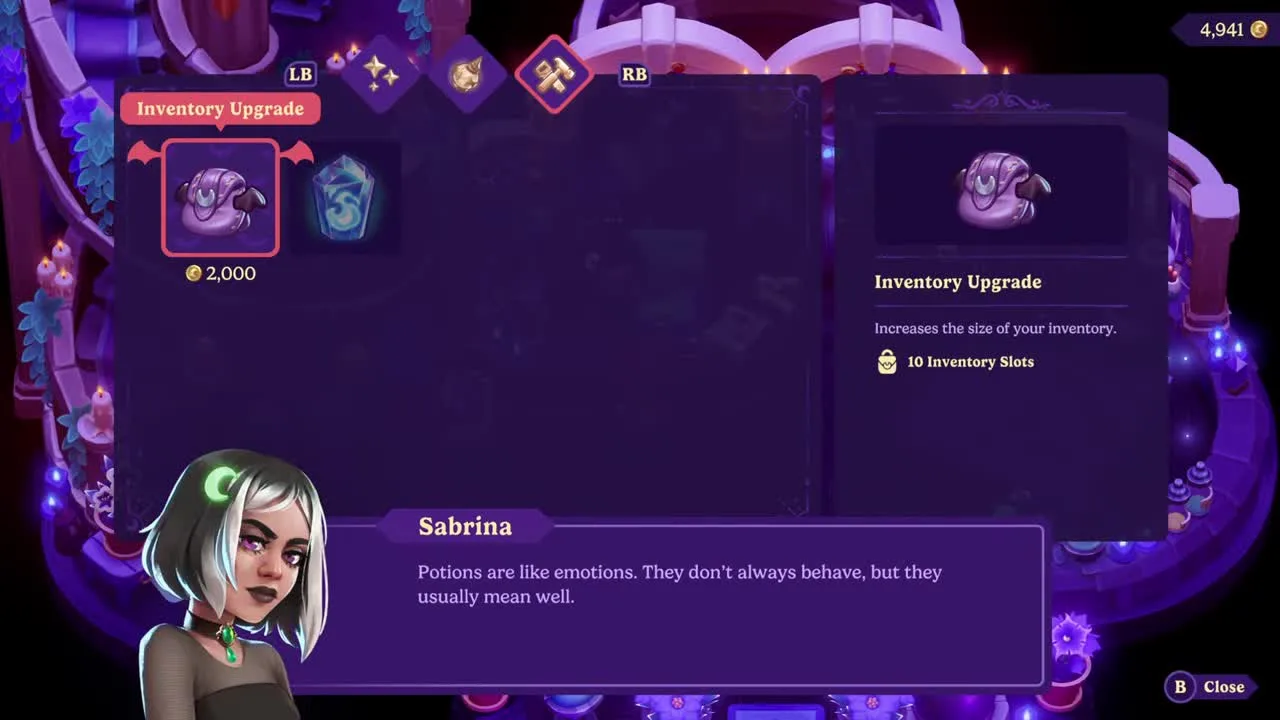
The short answer: buy both backpack upgrades from Sabrina at Webb of Wonders. Your vampire starts with 20 carried-item slots. Inventory Upgrade I costs 2,000 coins and adds ten slots; Inventory Upgrade II costs 20,000 coins and adds another ten, taking the backpack to its 40-slot maximum. The item is easy to miss because it sits in the shop’s third tab rather than among the spells players normally browse.
That purchase only affects what you carry. Moonlight Peaks also gives the house an unlimited shared storage, and current versions let you reach it across the farm plot. Understanding the difference matters more than simply buying space: a larger backpack makes exploration smoother, while a good storage routine prevents forty slots from filling with five qualities of the same crop.
Both inventory upgrades and their prices
| Upgrade | Cost | Backpack after purchase | Slots added |
|---|---|---|---|
| Starting backpack | — | 20 | — |
| Inventory Upgrade I | 2,000 coins | 30 | +10 |
| Inventory Upgrade II | 20,000 coins | 40 | +10 |
Upgrade II follows Upgrade I, so the full expansion costs 22,000 coins. There is no third backpack tier in the current launch build. If only the first purchase is visible, buy it, close or refresh the shop interface, and check the same tab again before assuming a quest is missing.
The first tier is an excellent early purchase. Ten slots are enough to keep tools, gifts and food while still collecting ore, forage, fish and quest items. The second is a luxury by comparison: valuable, but expensive enough to compete with tool upgrades, buildings, spells and a serious seed budget.
Where to buy the backpack upgrades
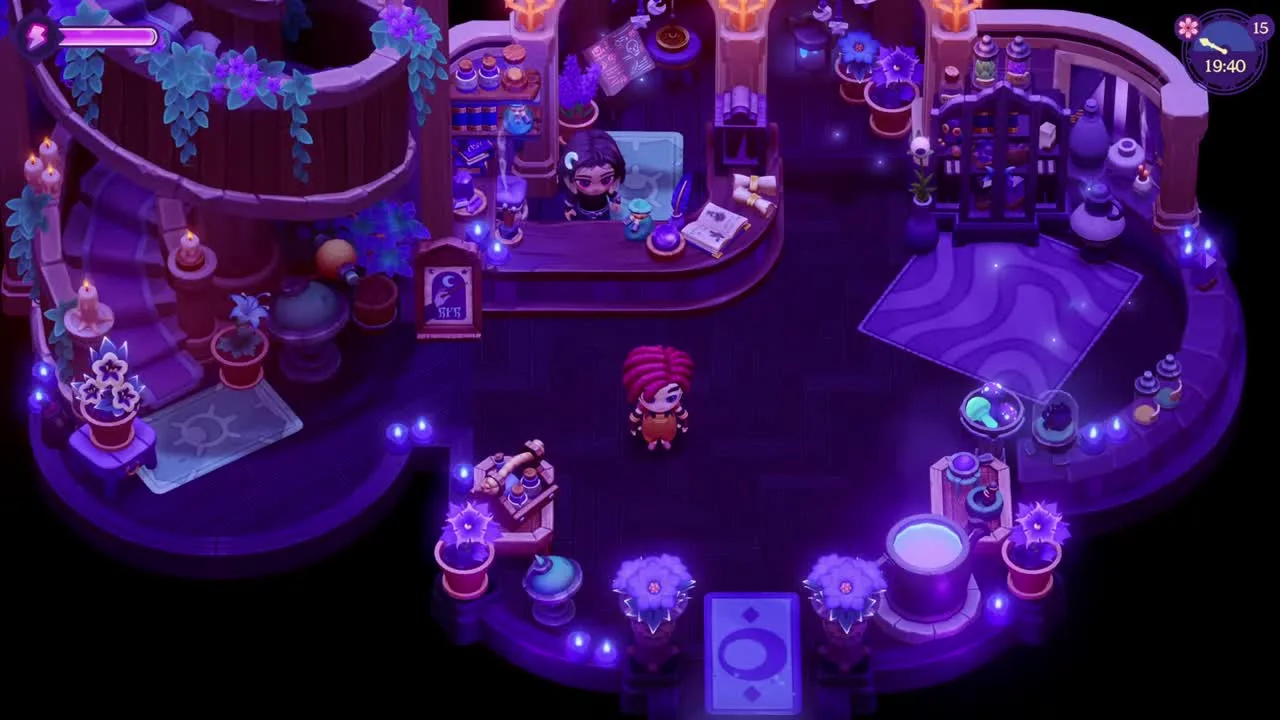
Go to Webb of Wonders, Sabrina’s magic shop in town. Speak to Sabrina and open her store, then move to the third tab. Players often stop at her spell selection, which is why the Inventory Upgrade and permanent mana purchase can be overlooked even after several visits.
You do not equip the upgrade. Buying it applies the extra row directly to the backpack. Open the inventory afterward and count the available slots: 30 after the first purchase, 40 after the second.
If Sabrina is away from the counter, use the map rather than waiting inside the shop. NPC routines can change with the weekday, season, weather, festivals and story scenes. The upgrade belongs to her shop stock, but you still need the normal merchant interaction to buy it.
Which upgrade should you buy first?
Inventory Upgrade I is usually worth buying as soon as the farm can spare 2,000 coins. It reduces forced trips home during mining, fishing and long quest routes. It is especially useful in the Cave of Echoes, where ore, stone, critters, fish and collectible detours compete for the same twenty starting slots.
Inventory Upgrade II should come after purchases that unlock or accelerate progress. A sensible order is:
- Keep enough coins for the next required quest item or essential seeds.
- Buy the 2,000-coin first inventory upgrade.
- Fund the tool, spell or building that removes your current progression bottleneck.
- Build a stable money loop with crops, Kegs or jobs.
- Buy the 20,000-coin second upgrade when doing so will not empty the operating budget.
Forty slots feel excellent, but they do not grow crops or open blocked paths. If the choice is between Inventory Upgrade II and the tool needed for the next ore tier, take the tool and use house storage more deliberately for a few nights.
How unlimited house storage works
The house has a shared, unlimited storage inventory. The official Wiki lists G on PC and the down arrow on Switch and Switch 2 as direct access controls. Marvelous’ post-launch storage update expanded access to the entire farm plot, including barns and greenhouses, and added transfers to and from house storage through Quick Transfer.
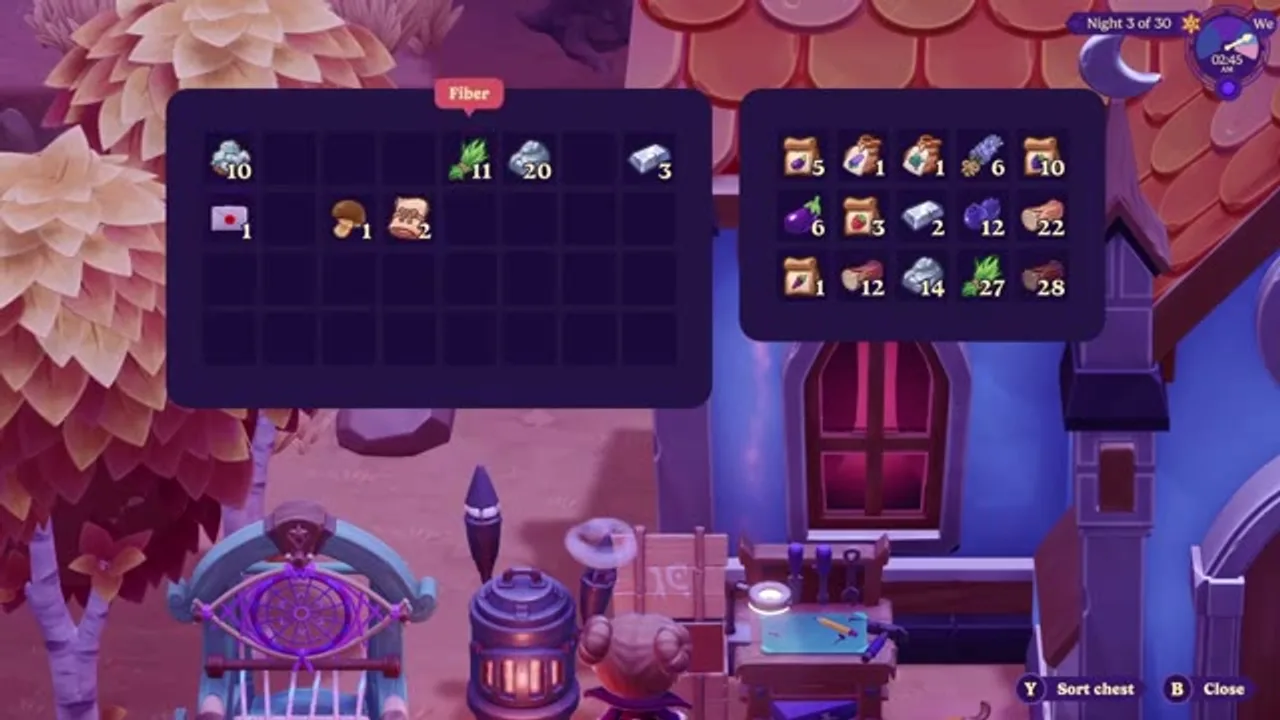
This shared stock is the right home for bulk resources, seasonal museum items, spare gifts and machine ingredients. Farm crafting can use the shared supply, so wood and ore do not need to stay in the backpack merely because you plan to build something later.
The important boundary is the plot. A larger backpack still matters when you leave for town, Luna Bay, the caves or the marshes. Before a long route, unload everything that does not serve that trip.
Storage Crates still have a purpose
Storage Crates cost 10 Planks in the documented launch build. They are not needed for raw capacity—the house storage is already unlimited—but they remain useful as physical sorting points. A crate beside a field can hold the crops you do not want mixed with museum donations; one near a decorating project can separate furniture from production materials.
Treat crates as organisation, not expansion. Building many of them early consumes wood and Refiner time that could go toward machines and quests. Start with one or two labeled purposes, then add more only when the location saves repeated menu work.
Why the backpack fills so quickly
Item quality is the main culprit. Different-quality copies may occupy separate stacks, so one mining or harvest route can create several inventory entries that look almost identical. Tools, food, gifts and quest objects then consume the fixed slots that remain.
Use these habits to keep the extra rows useful:
- Carry one dependable food stack rather than several weak snacks.
- Take only the gifts needed for the residents on tonight’s route.
- Deposit finished quest items unless the objective explicitly requires carrying them.
- Move museum candidates to a dedicated storage plan before selling duplicates.
- Empty forage and ore after every long trip instead of beginning tomorrow half full.
- Check the relationship menu’s recent-gift history rather than carrying experimental gifts for everyone.
A clean pre-trip loadout
For a normal town night, carry the required tools, one food stack, confirmed gifts and any active hand-in item. For mining, clear more space and bring the upgraded Pickaxe plus recovery food. For fishing or critter collecting, leave unrelated farm tools at home when the interface allows it.
The goal is not to keep the backpack empty; it is to reserve enough capacity for the activity’s unpredictable drops. Five free slots may be enough for a direct delivery, but a new cave floor or seasonal forage sweep deserves ten or more.
Troubleshooting a missing upgrade
First confirm that you are speaking to Sabrina at Webb of Wonders, not browsing a festival stall or another Webb-family service. Change to the third shop tab and look for the permanent purchase. If Upgrade II is absent, verify that Upgrade I was bought and that the backpack now shows thirty slots, then reopen the store.
Update the game before chasing an old interface workaround. Storage and controller behavior received post-launch fixes, so advice recorded on release day may describe a problem that no longer exists. When reporting a genuine issue, include the platform, version, current slot count and a screenshot of Sabrina’s third tab.
The efficient setup is simple: buy the first expansion early, use unlimited storage aggressively, and treat the 20,000-coin tier as a midgame comfort purchase. Pair this page with the controls and UI guide, money guide and farm-helper guide to keep both the backpack and production chain under control.
Frequently asked questions
How do you upgrade inventory space in Moonlight Peaks?
Visit Sabrina at Webb of Wonders and open the third shop tab. Inventory Upgrade I costs 2,000 coins and expands the backpack from 20 to 30 slots. Buy it to reveal Inventory Upgrade II, which costs 20,000 coins and raises the maximum to 40 slots.
What is the maximum backpack size in Moonlight Peaks?
The backpack begins with 20 slots and reaches a maximum of 40 after two ten-slot upgrades. The upgrades cost 2,000 and 20,000 coins respectively.
Where is the inventory upgrade sold?
Sabrina sells it at Webb of Wonders in town. Switch to the third tab of her shop interface; the first inventory upgrade is listed beside other permanent utility purchases rather than with ordinary spell stock.
Is house storage unlimited in Moonlight Peaks?
Yes. The house provides unlimited shared storage. On current builds it can be accessed from the whole farm plot, including barns and greenhouses, and Quick Transfer can move items to or from it.
What is the difference between backpack, house storage and storage crates?
The backpack is the limited inventory carried while exploring. House storage is the unlimited shared stock used around the farm. Storage Crates are craftable local containers that can be placed for sorting or convenient access; they do not replace the two permanent backpack upgrades.
Sources
Related guides
Keep exploring — hand-picked guides that pair well with this one.
Moonlight Peaks Modding Guide: Safe Setup, Saves & Boundaries
A cautious introduction to Moonlight Peaks PC modding: what the official wiki documents, why BepInEx and Unity appear in the workflow, how to protect saves, and what not to assume about platform support.
Read guide
Moonlight Peaks Save Backup & Recovery Guide (PC, Mac & Steam Cloud)
Back up Moonlight Peaks saves safely on Windows, Mac, and Linux/Steam Deck. Find the Steam Cloud save folder, avoid sync mistakes, and collect the right details for a recovery report.
Read guide
Moonlight Peaks Achievements: Full List & How to 100% Them
Every achievement in Moonlight Peaks — all 58 milestones including the secret ones — grouped by theme, with what each requires: getting married, completing the Museum, unlocking every shapeshifting form, catching all fish, and mastering Nokturna.
Read guide