Moonlight Peaks Save Backup & Recovery Guide (PC, Mac & Steam Cloud)
Back up Moonlight Peaks saves safely on Windows, Mac, and Linux/Steam Deck. Find the Steam Cloud save folder, avoid sync mistakes, and collect the right details for a recovery report.

Save recovery is one of the few topics where a calm, small precaution is more valuable than a clever workaround. For the Steam desktop build, SteamDB publishes the game’s Steam Cloud configuration and the local folder paths it derives from that configuration. A dated copy of that folder gives you a restore point that Steam Cloud alone does not necessarily provide.
This guide covers backups and evidence collection, not save editing. It is deliberately conservative: do not overwrite files while the game is open, do not assume another platform uses the same path, and do not treat a random download or forum post as an official recovery tool.
Confirmed Steam save locations
SteamDB lists the following paths for Moonlight Peaks’ Steam Cloud files:
| Platform | Listed local save location |
|---|---|
| Windows | %USERPROFILE%/AppData/LocalLow/Little Chicken Game Company/Moonlight Peaks/ |
| macOS | ~/Library/Application Support/Little Chicken Game Company/Moonlight Peaks/ |
| Linux / SteamOS override | $XDG_DATA_HOME/Little Chicken Game Company/Moonlight Peaks/ |
These are paths for the Steam desktop configuration, not a promise that every storefront, console, or mobile version exposes files in the same way. SteamDB is a third-party reference built from Steam configuration data; use it to locate a folder, then treat the files in it carefully.
Make a safe manual backup
The safest routine is simple: back up after a normal session when you can confirm your latest progress is present.
- Exit Moonlight Peaks normally. Do not copy a live save while the game is actively writing it.
- Wait for Steam to finish any visible sync activity. The goal is to back up a settled local state rather than racing the client.
- Open the relevant folder above and copy the entire
Moonlight Peaksfolder to a separate, dated location you control—such as a folder namedMoonlight-Peaks-backup-2026-08-03. - Do not rename files inside the live folder. The copy is your insurance; leave the active save structure alone.
- Keep more than one dated copy if you are experimenting with mods or about to make a major in-game decision.
Steam’s own Backup Feature is designed for game files. It is useful to understand as a separate tool, but it should not be confused with a tested, game-specific rollback system for a save. A plain dated copy of the known local save folder is easier to inspect and less likely to create false confidence.
If progress appears missing
First, stop. Reopening the game and immediately playing to a new save point can make it harder to understand which state changed. Record the platform, storefront, installed game version, approximate time of the last good save, and what happened just before the problem appeared. If you are on Steam desktop, make a copy of the current local folder before attempting any change.
Then install the current update. Marvelous’ July 31 notes list a Google Play Games fix for a cloud-save failure that could lead to lost progress, alongside an infinite loading-screen fix. That is a platform-specific patch—not evidence that a Windows, Mac, console, or Steam Cloud issue has the same cause—but it is a good reminder to compare the affected platform and version to the official notes.
Avoid force-closing the game while it is saving. If the save is still present but a quest or achievement is stuck, check the relevant official patch condition first: for example, the July 21 notes state that some progression fixes apply after an in-game day passes. Our July patch round-up collects those cases by platform.
Modded saves need an extra layer of caution
The Official Moonlight Peaks Wiki’s modding documentation includes a persistence guide that recommends a sidecar file for custom-object state instead of editing the game’s save data. That is a strong principle even if you are only installing, not creating, a mod: preserve an untouched backup before changing the setup, and do not use a tool that asks you to overwrite unknown save files without explaining what it does.
Keep a short note beside each backup: game version, whether mods were enabled, and what you were doing at the time. If a problem only appears after a mod is added, you now have a clean point of comparison. See the safe modding guide for the same cautious workflow from the mod side.
When to contact support
A support report is most useful when it is reproducible. Include the platform, storefront, game version, save/back-up timing, last action before the issue, and whether a mod was installed. Attach screenshots or requested log files only through the publisher’s official support channel. Do not publish a save that contains personal account information in a public thread.
The goal is not to turn every frustrating moment into a manual rollback. It is to keep one clean copy, avoid overwriting evidence, and use platform-specific patch notes rather than a one-size-fits-all fix.
Frequently asked questions
Where are Moonlight Peaks save files on PC?
SteamDB's Cloud Saves record lists %USERPROFILE%/AppData/LocalLow/Little Chicken Game Company/Moonlight Peaks/ for Windows. Its Mac override is ~/Library/Application Support/Little Chicken Game Company/Moonlight Peaks/, and its Linux override is $XDG_DATA_HOME/Little Chicken Game Company/Moonlight Peaks/. These locations are for the Steam desktop build.
Does Moonlight Peaks use Steam Cloud?
Yes. SteamDB lists Steam Cloud configuration for the game. A local backup is still worthwhile, because cloud sync is not the same thing as keeping multiple dated restore points.
What should I do if Moonlight Peaks lost progress?
Stop repeatedly launching and saving over the affected state. Note your platform and game version, update first, preserve a copy of the current save folder on desktop builds, then contact official support with the reproducible details. Google Play Games version 1.1.51 specifically fixes a cloud-save failure/lost-progress issue.
Can I edit a Moonlight Peaks save to fix a problem?
We do not recommend editing a live save. The Official Moonlight Peaks Wiki's modding documentation recommends storing mod custom-object state in a sidecar file rather than editing game save data.
Sources
Related guides
Keep exploring — hand-picked guides that pair well with this one.
Moonlight Peaks Modding Guide: Safe Setup, Saves & Boundaries
A cautious introduction to Moonlight Peaks PC modding: what the official wiki documents, why BepInEx and Unity appear in the workflow, how to protect saves, and what not to assume about platform support.
Read guide Moonlight Peaks PC System Requirements & Performance
The official minimum and recommended PC and Mac system requirements for Moonlight Peaks, straight from Steam, plus Switch, Switch 2 and Android availability.
Read guide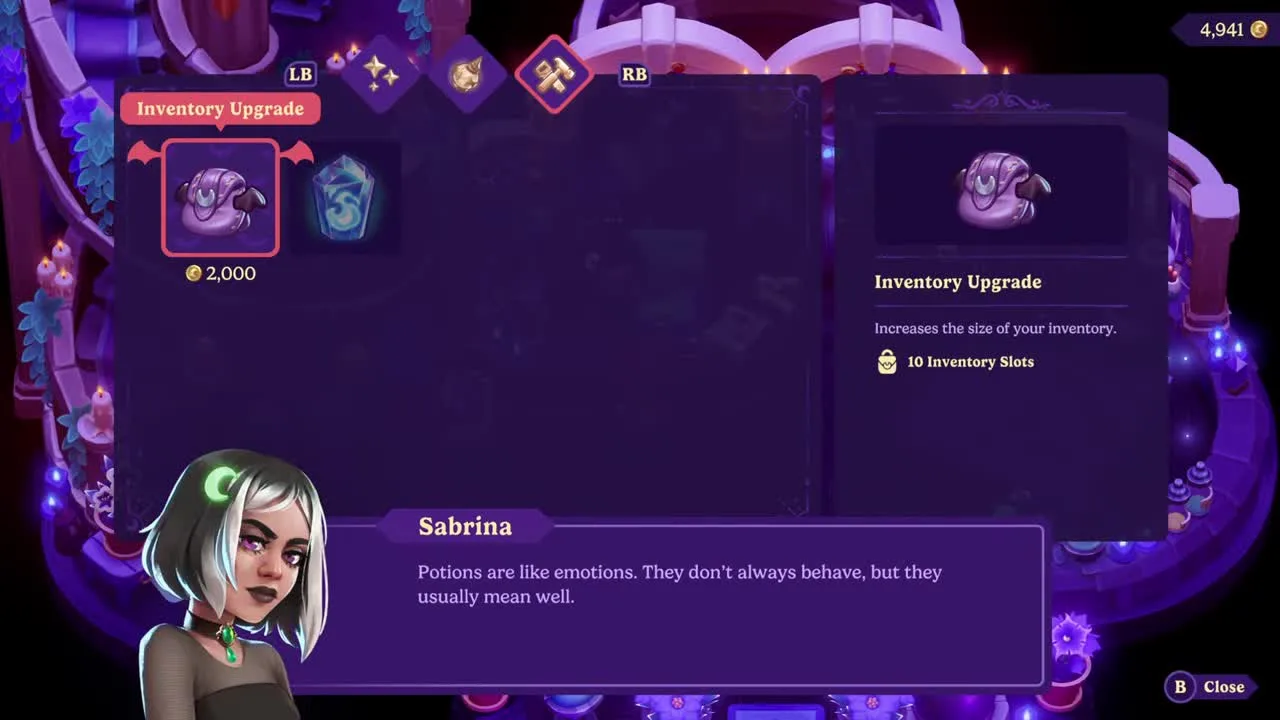
Moonlight Peaks Inventory Upgrade: Backpack & Storage Guide
How to expand your Moonlight Peaks backpack from 20 to 40 slots, where Sabrina sells both inventory upgrades, exact prices, and how unlimited house storage works.
Read guide